Getting Started with How to Grow Your Sausage
Windows install, overlay tips, controller slicing, first upgrades, and prestige basics.
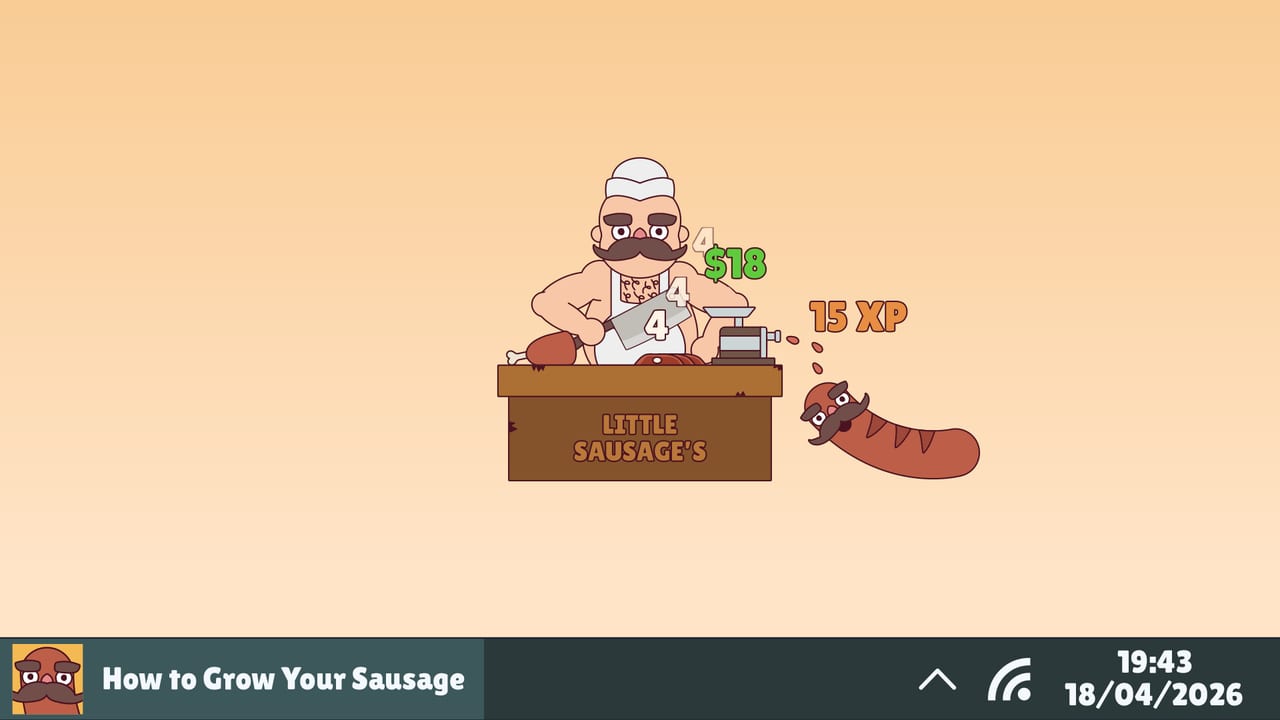
How to Grow Your Sausage is a desktop idle and incremental companion from Little Horror Studios. Your sentient sausage grows from the keystrokes, clicks, and button presses you already make while using your PC. This guide covers Steam install on Windows, companion overlay habits, controller meat slicing, the first upgrade purchases, early size unlockables, and where to go next for items, prestige, and rankings. The game launched on Steam on 14 September 2026 (app 4628250), supports English, Portuguese (Brazil), Spanish, and German, and ships with Steam Cloud plus twenty-two achievements. It is single-player only—no shared sessions sessions.
Install from Steam (Windows)
1.0 is a Windows Steam title. Linux or Wayland setups may launch through Proton for some players, but cross-app keystroke observation often fails outside a normal Windows desktop—growth that depends on seeing your real typing/clicking is unreliable there. Prefer a Windows PC for the intended companion loop. Details and input quirks live in Controls and Overlay; if growth or input misbehaves after install, jump to Troubleshooting.
- Open the Steam client and search for How to Grow Your Sausage, or open the store page for app 4628250.
- Purchase or redeem the game (launch pricing was about €3.49 with a launch discount—confirm the live store price before you buy; see also Steam Deals).
- Install to a drive with a little free space; the footprint is modest for a companion title.
- Launch once from Steam so Cloud and achievements initialize cleanly.
- Confirm language in the Steam properties or in-game language options if you prefer PT-BR, ES, or DE.
After the first launch, pin the game or keep Steam’s overlay reachable so you can jump back when an upgrade or unlockable pops. Because this is a companion, you will often leave it running under other windows rather than fullscreening it for hours.
Desktop companion, overlay, and monitor tips
Treat the sausage as an always-on widget for your real workday. Full control and overlay notes are on Controls and Overlay:
- Keep it visible but not obstructive. A corner of the screen or a second monitor works well. You want to notice unlock prompts without covering spreadsheets or editors.
- Try a vertical monitor if you have one. A portrait secondary display is excellent for parking the companion beside a main landscape work screen—readable length growth without stealing horizontal editor space.
- Let natural input do the work. Typing emails, coding, browsing, and clicking UI elements all feed growth. You do not need a separate “clicker marathon” unless you enjoy active sessions.
- Controller meat slicing. 1.0 lets the butcher trigger meat slicing with a controller, not only keyboard and mouse—useful if you lounge with a pad while the companion runs. Pair pad play with the overlay tips above so you still notice unlock popups.
- Batch your active play. Every so often, alt-tab in to spend money on upgrades, swap items, claim unlockables, and check the growth journal. Short focused visits beat constant micro-management.
- Respect focus modes. If you need deep work without distraction, hide the window briefly, then reopen later—Steam Cloud helps keep progress consistent across sessions.
- Watch performance. Companion apps should stay light; if you notice hitching, close unused overlays and avoid stacking too many desktop toys. Persistent issues belong on Troubleshooting.
The June 2026 Steam Next Fest demo already showcased upgrades, unlockables to 30 cm, unlimited size, prestige, costumes, a growth journal, and items. The full 1.0 release builds on that loop with Time Travel, World Domination framing, unlockables toward level 200, many new items and cosmetics, Game Stats, Photo Mode, Free Gifts, controller slicing, a complete achievement set, and a full rebalance versus the demo.
First hour goals
Your early checklist is simple:
- Confirm growth responds to typing, clicking, and (if you use one) controller slicing.
- Earn enough money to buy the first meaningful upgrades that improve meat grinding.
- Equip a basic item loadout (meat, grinder, and cleaver slots as they open).
- Reach the first size unlockables so bonus features start stacking.
- Skim the UI for costumes, journal entries, Game Stats, and Photo Mode without spending core income on cosmetics yet.
Early upgrades should bias toward grinding efficiency and income, not vanity. Money is the throttle for how fast each keystroke pays off; wasting it on low-impact purchases slows every later system. When two upgrades look similar, prefer the one that clearly improves grinding throughput or related production. Demo veterans: do not copy Next Fest purchase order blindly—1.0 fully rebalanced the economy.
Early unlockables and size milestones
Unlockables gate bonuses and features behind sausage size. In the demo, players saw content through 30 cm and then unlimited size with prestige waiting as the major reset. On release, unlockables stretch much deeper (toward level 200). Treat size as both a scoreboard and a keyring: every milestone can open quality-of-life or multiplier features that change how you spend the next hour.
Practical habits:
- Note which unlockables just appeared so you do not miss a new shop, slot, or bonus toggle.
- After a milestone, re-check upgrades—new features often make previously “meh” purchases strong.
- Keep a mental (or journal) log of when grinding felt slow; that timing often signals an upgrade cadence issue rather than a dead end.
Items without overthinking
Items break into meats, grinders, and cleavers. Early on, equip the best available piece in each category and replace when a clear upgrade appears. You do not need a perfect theorycraft before your first prestige. When you are ready for deeper equip logic, read the full Items and Equipment guide and cross-check opinions on the Tier List Hub—remember 1.0 added about 21 new items on top of the demo set.
When to think about prestige
Prestige resets run progress in exchange for permanent multipliers and Golden Sausages for the exclusive prestige shop. You should not prestige the moment the button appears if your current upgrades are still cheap relative to income. A good first-prestige signal is when upgrade prices feel punishing and growth per minute has flattened even during active typing. Before you reset, read How to Prestige and skim Golden Sausages so you know what stays permanent and which shop purchases to prioritize. The Prestige Planner is a handy go/no-go checklist.
Time Travel is a second prestige layer aimed at huge gains toward World Domination. Ignore it until ordinary prestige cycles feel comfortable; then open the Time Travel Guide.
Efficiency mindset for day one
- Prefer upgrades that improve grinding over cosmetic sinks.
- Mix AFK companion time with short active buy sessions.
- Swap equipment when a slot upgrade is obvious; do not churn endlessly.
- Plan your first prestige with a Golden Sausage shop goal instead of resetting out of boredom.
- Use Controls and Overlay if input or window placement feels wrong; use Troubleshooting before blaming the economy.
For a dedicated efficiency deep dive, continue with How to Grow Fast. For achievement hunting without full spoilers, see achievement tips inside the Achievements Hub. Official store, Discord, support email, and social links live on the Links Hub.
Launch video and what to watch for
The mid-page video is the real launch-adjacent trailer Launching Tomorrow: How to Grow Your Sausage. Use it to confirm tone, UI chrome, and companion framing—not as a substitute for reading upgrade tooltips in your own build. The announcement trailer also exists on the official channel if you want the broader pitch after you finish this guide.
Common beginner mistakes
- Fullscreen-only play. You will grow more by leaving the companion up during real PC use—try a corner, second display, or vertical monitor park.
- Expecting Linux/Proton to mirror Windows growth. Keystroke observation often fails off Windows; see Troubleshooting.
- Buying every shiny upgrade. Sequence purchases toward grinding and income.
- Ignoring unlock popups. Size milestones exist to expand the game; claim them promptly.
- Prestiging blind. Golden Sausages and permanent multipliers are powerful, but a poorly timed reset wastes a strong mid-run setup.
- Chasing costumes first. Hats, counters, and skins are fun—fund them after the meaty systems are healthy.
- Ignoring controller slicing. If you prefer a pad, try 1.0’s controller meat slicing instead of forcing mouse-only habits.
Finish this page, keep the sausage running through your next work block, then move into growth speed and equipment guides. When income stalls, you will already know whether the answer is another upgrade, a better item, your first prestige, or a trip through Troubleshooting.
Frequently Asked Questions
Quick answers for sausage growers.
Where do I buy How to Grow Your Sausage?
On Steam as app 4628250 from Little Horror Studios. It is a Windows Steam title—check the live store page for current pricing and any launch discount.
Does the game need constant clicking?
No. Growth comes from keystrokes, clicks, and button presses while you use your PC. Controllers can also trigger meat slicing in 1.0. Many players leave it running as a companion during normal work.
Will it work on Linux via Proton?
It may launch, but cross-app keystroke observation often fails outside Windows, so companion growth can break. Prefer Windows; see Controls and Overlay plus Troubleshooting.
What should I buy first?
Prioritize upgrades that improve meat grinding and income. Equip the best available meats, grinders, and cleavers, and delay cosmetics until the core loop feels strong.
When should I prestige for the first time?
When upgrade prices feel punishing and growth has flattened even during active input. Read the prestige and Golden Sausages guides before resetting so you understand permanent multipliers and shop priorities.
Is How to Grow Your Sausage single-player only?
Yes. It is a single-player Steam desktop companion with Steam Achievements and Steam Cloud—no shared sessions sessions.
Which languages are supported?
English, Portuguese (Brazil), Spanish, and German.