How to Grow Your Sausage Controls and Overlay Guide
Place the companion, use controller slicing, survive vertical monitors, and balance AFK with active input.
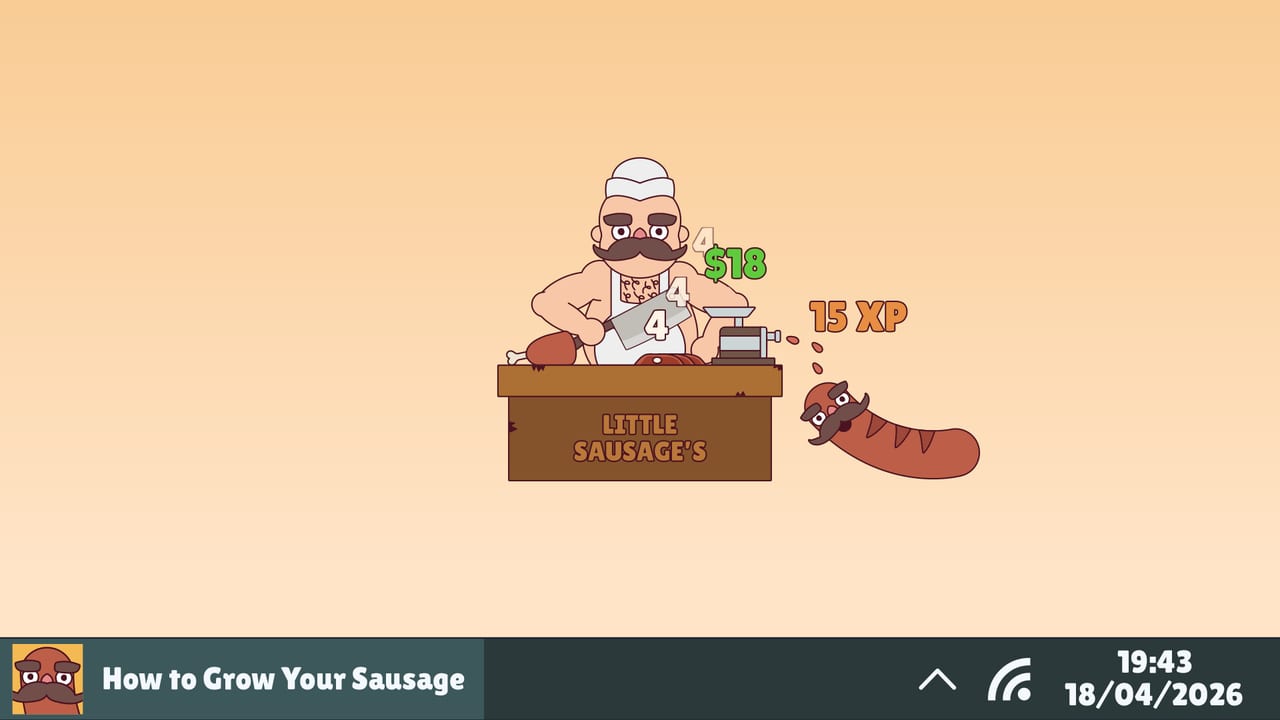
How to Grow Your Sausage is built as a desktop companion: the butcher window should live beside your real work, not replace it. Growth comes from keystrokes, clicks, and button presses you already make, so placement, input devices, and monitor layout directly affect how good the loop feels. This guide covers overlay-style placement, controller meat slicing, mouse-only play, vertical monitor survival tips, and the difference between AFK presence and active input quality. Start from Getting Started if you still need install basics, then use How to Grow Fast for economy pacing and Troubleshooting when something feels broken.
Companion placement that respects your work
Think of the sausage as a widget with ambitions:
- Corner anchor. Park the window in a bottom or side corner on your primary display so unlock popups are visible without covering the document you are typing.
- Second monitor flex. If you have a landscape secondary display, dedicate a slice of it to the companion and keep creative apps on the main screen.
- Never bury it forever. Fully hiding the game for hours can make you miss unlockables, Free Gifts prompts, or shop opportunities—even if some growth still accrues while you click elsewhere.
- Avoid aggressive exclusive fullscreen for daily use. Companions thrive in windowed or borderless arrangements you can alt-tab around.
- Watch overlay pileups. Steam overlay plus multiple FPS/tool overlays can hitch input; keep the stack lean.
The goal is glanceable presence. If you only maximize the game when you are actively buying upgrades, that is fine—just return it to a visible companion posture afterward.
Keep it visible while working
Visibility is a strategy, not aesthetics:
- Confirm early that typing in your editor or browser feeds growth as expected.
- Leave the sausage on-screen during writing, coding, spreadsheets, chat, and other click-heavy tasks.
- Batch your active management: every so often, focus the game to spend money, swap meats/grinders/cleavers, and claim unlockables.
- When you need deep focus with zero distraction, hide briefly, then restore the window—Steam Cloud helps across sessions if you close cleanly.
Players who treat the title like a traditional fullscreen incremental often underperform players who simply keep it honest in the corner during a real workday.
Controller can trigger meat slicing
1.0 adds a quality-of-life input note: controllers can trigger meat slicing. That matters if you lounge with a pad while a show plays, or if you already keep a controller connected for other Steam games.
Practical tips:
- Know which face button or trigger your build uses for slicing before you lean on it mid-upgrade spree.
- If mouse delay appears with a pad connected, disconnect the controller once to test focus conflicts—see Troubleshooting.
- Controllers are optional flavor. They do not replace the desktop keystroke fantasy; they supplement moments when you want direct butcher action without diving for the mouse.
Mouse-only options and habits
Plenty of players will never touch a controller. Mouse-only is fully valid:
- Use natural clicking across the OS as part of growth input.
- Keep upgrade clicks deliberate during short active bursts instead of frantic empty clicking with no money plan.
- Prefer precise window resizing with the mouse over maximize-on-portrait-monitor disasters.
- When menus feel tiny or huge, adjust Windows scaling or move displays rather than assuming a missing accessibility preset.
Mouse-only players should still read prestige confirmations carefully—precision matters more than click count when a reset is on the line.
Vertical monitor tips
Portrait monitors are great for chat and code, rough on some companion UIs. If the interface feels too big:
- Slide the window onto a landscape screen when shopping or prestiging.
- Manually size the window instead of maximizing.
- Harmonize per-monitor DPI scaling where Windows allows.
- Keep confirmation buttons reachable; never click reset blind.
Report persistent scaling pain upstream with resolution details rather than assuming a silent patch already shipped (none are documented mid-September 2026).
AFK versus active input quality
The companion can sit quietly, but input quality is not identical across modes:
- Active typing / clicking during real tasks tends to produce clearer growth feedback and faster money for upgrades.
- Low-activity AFK (you are away from the PC entirely) cannot invent keystrokes the OS never sent.
- Controller slicing bursts can add intentional butcher actions when you are present but not typing.
- Best blend: visible companion during productive work + scheduled active spend sessions + deliberate prestige planning.
If growth feels dead, ask whether you were actually generating input before you assume a bug. Then check Troubleshooting for genuine launch, Cloud, or platform issues—especially Linux/Wayland observation limits on unsupported setups.
Mini checklist before a long work block
- Launch from Steam; confirm the window is visible.
- Type a few characters in another app and glance back for growth response.
- Spend pending money on grinding-focused upgrades if prices are cheap.
- Equip a sensible meat / grinder / cleaver trio.
- Decide whether a controller stays connected.
- Set a timer to return for unlock claims and shop checks.
Related reading
- Getting Started — first-hour setup
- How to Grow Fast — efficiency and money sinks
- Troubleshooting — launch, lag, UI scale, Cloud, Linux honesty
- Guides Hub — everything else
Place the sausage where your eyes already go, feed it with the work you were doing anyway, and save theatrical fullscreen sessions for Photo Mode bragging—not for every email you write.
Frequently Asked Questions
Quick answers for sausage growers.
Where should I put the game window?
Keep it visible in a corner or on a second monitor so you notice unlocks without covering your real work.
Do I need a controller?
No. Mouse and keyboard desktop use is the core fantasy. Controllers can optionally trigger meat slicing in 1.0.
Does AFK grow the sausage with no input?
Growth needs keystrokes, clicks, or button presses. Being away from the PC entirely cannot invent input the OS never sent.
What if my vertical monitor breaks the UI?
Move the window to a landscape display, avoid maximize, and adjust Windows scaling. Report persistent issues with your resolution details.
Something still feels broken—where next?
Open the Troubleshooting guide for launch failures, mouse delay, Steam Cloud, Linux limits, and support contacts.